
What is Muaa App 2026?
Muaa (Muaa – Video chat&Call) is a social networking app published by Wavechat Inc. It is built around one-to-one live video conversations and text messaging, letting users start a video call directly from their phone, keep the conversation going with chat, and end it whenever they choose. The app is listed on Google Play under the Social category and is rated 18+ because it involves user-to-user interaction and in-app purchases. As of writing, it holds a 4.6-star rating from 56 reviews, and its listing shows it was last updated on July 29, 2026.

Target Audience and Global Reach
Muaa App is aimed at adults looking for casual, one-on-one video and text conversations with new people. The Play Store description specifically asks users to keep interactions “friendly and respectful,” which suggests the app is positioned as a social/companionship platform rather than a formal dating service.
Download and Installation Process
Muaa is available for free download on the Google Play Store. Installation follows the standard Android process: search for “Muaa – Video chat&Call,” tap Install, and open the app once it finishes downloading. Because the app includes in-app purchases and adult-oriented interaction, Google Play requires users to confirm they meet the 18+ age requirement before use.
System Requirements and Device Compatibility
The Play Store listing does not publish a detailed minimum OS version, but as a standard Android social app it is expected to run on recent Android versions with a working front camera, microphone, and stable internet connection (Wi-Fi or mobile data), since the core feature is live video calling.
Deep Dive into User Interface and Navigation
Understanding the Home Screen Layout
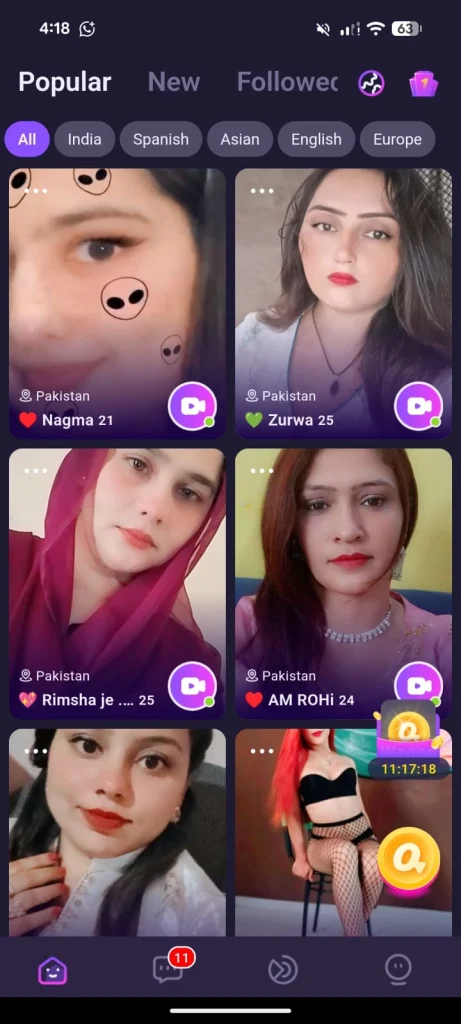
Based on the app’s screenshots, the home screen is centered on browsable user profiles that can be tapped or swiped to start a conversation, with quick-access buttons for starting a video call or sending a text message.
Top Filter Bar: Popular, New, and Followed Tabs
Apps in this category typically organize the discovery feed into tabs such as Popular (most active/most-liked users), New (recently joined members), and Followed (people you’ve already connected with). Muaa’s interface follows this familiar layout style to help users quickly find someone to chat with.
Regional and Language-Based Matching
Muaa’s public listing does not detail a specific regional-matching engine, but as a global social/video app it is built to connect users across locations, with profile info generally helping indicate a user’s region.
Anatomy of a Profile Card
A typical profile card in this type of app displays a profile photo or short video preview, a display name, basic details, and quick-action buttons (message or video call). Muaa’s screenshots show this same card-based browsing style.
Bottom Menu Navigation Bar Explained
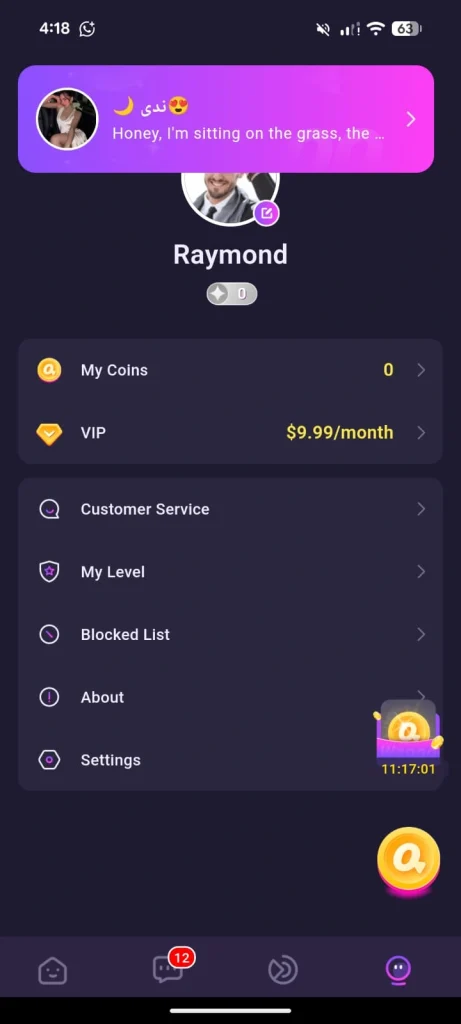
The bottom navigation bar generally provides quick access to the main sections of the app, Home/Discover, Messages, and Profile/Settings, allowing users to move between browsing new people and managing existing conversations.
Top Features of Muaa Video Call & Chatting App
One-Tap Instant Video Match
The core feature highlighted in Muaa’s own description is the ability to “start one-to-one video conversations directly from your mobile device” with a simple tap, connecting users quickly without lengthy setup.
High-Quality Streaming
Muaa promotes “clear video and audio for more natural communication,” positioning smooth, real-time streaming as one of its central selling points for video-based conversations
Real-Time Text Messaging
Alongside video calls, Muaa lets users “keep conversations going with convenient text messaging,” so a chat can continue even after a video call ends.
Online Dating
The app encourages users to “discover different perspectives and share moments through live conversations,” framing itself as a way to meet new people rather than a swipe-based matching app.
Chatting and Communication Ecosystem
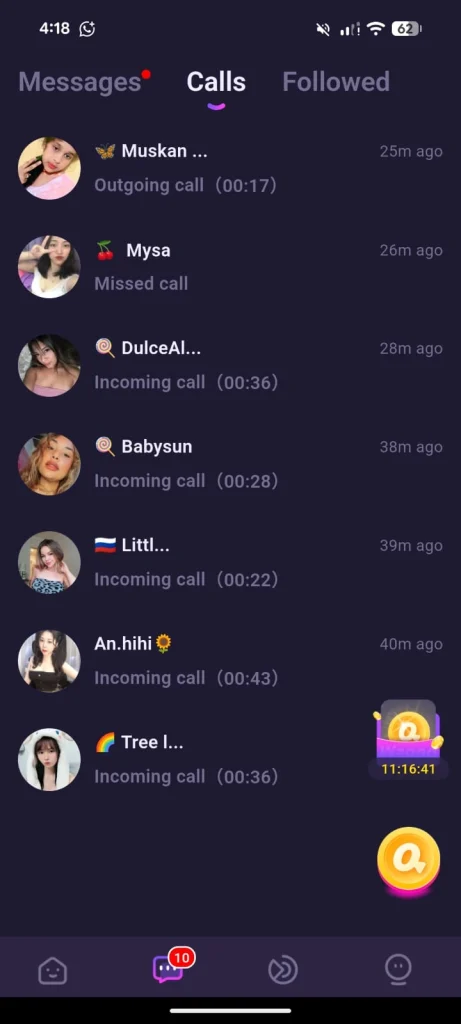
Understanding the Messages Tab Dashboard
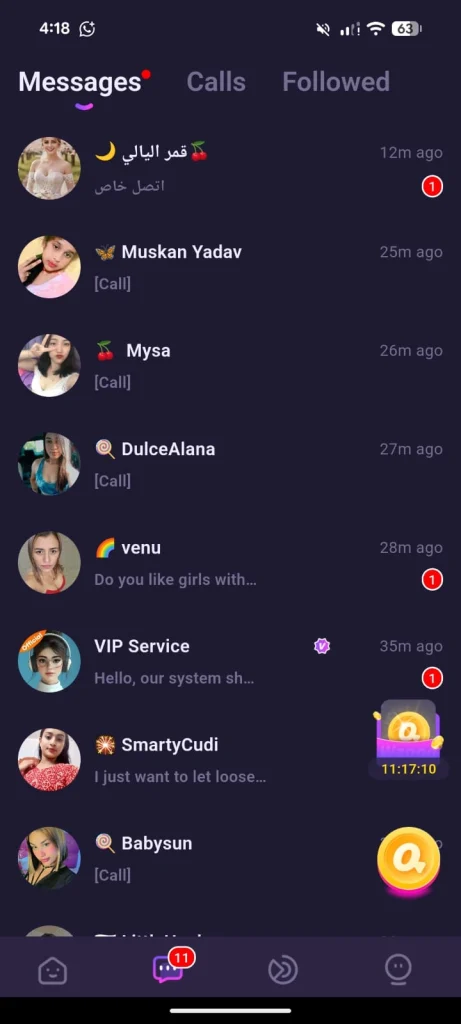
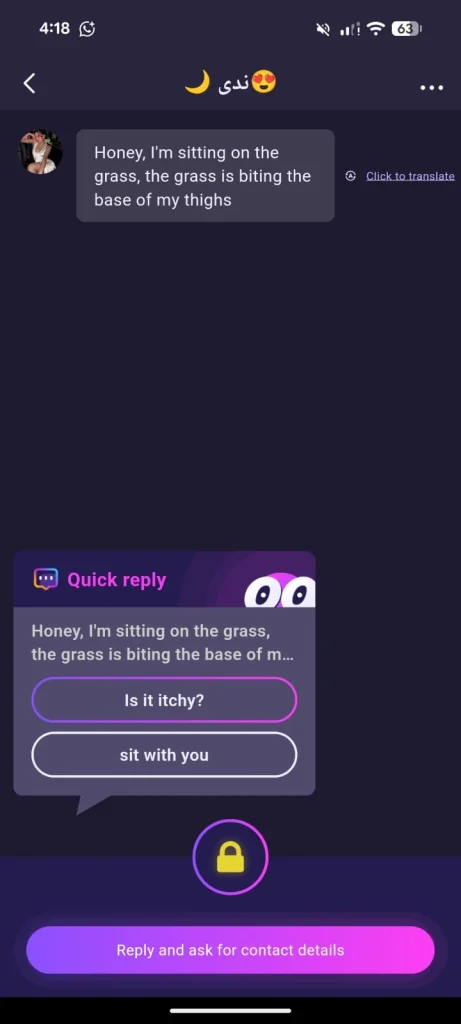
Once a conversation begins, it moves into a Messages section where ongoing chats with matched users are stored and can be revisited.
Video Calls and Text in One Place
Muaa combines both communication modes, live video and text chat, inside the same conversation thread, rather than separating them into different app sections.
Managing Active Conversations
Users can pick up where they left off in a chat, since Muaa is designed to keep conversations going between video sessions.
Support and Contact
Muaa provides an official support channel through its developer contact email, which is available directly on its Play Store listing for account or technical issues.
Privacy, Security, and Safety Measures
Data Handling and Encryption
According to Muaa’s official Data Safety section on Google Play, the app encrypts data in transit. It also discloses that it may collect personal information, messages, and other data types, and may share device or other identifiers with third parties. Users can request that their data be deleted.
User Report and Blocking System
Muaa explicitly states that users can “use reporting and blocking tools to manage your experience,” giving people a direct way to flag inappropriate behavior or stop unwanted contact.
Community Guidelines
The app asks members to “follow the community guidelines and help maintain a positive environment for everyone,” indicating it enforces baseline conduct rules for its 18+ user base.
Privacy Policy and Terms
Muaa publishes its Privacy Policy and Terms & Conditions through links on its official support page, which users should review before sharing personal information or making purchases

Monetization, In-App Purchases, and Premium Features
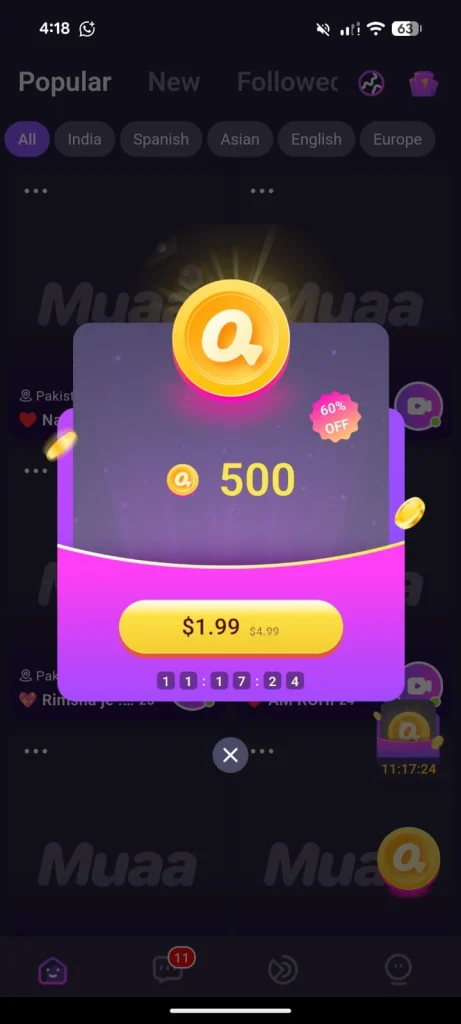
In-App Purchases
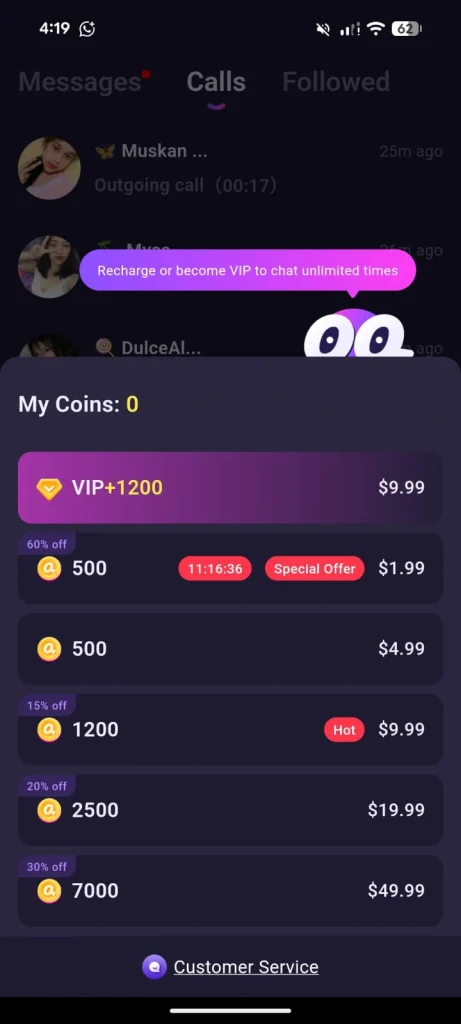
Muaa’s Play Store listing confirms the app includes in-app purchases, which is standard for apps in this video-chat category. usually used to unlock extended calling time, messaging, or premium visibility.
Approaching Purchases Carefully
Because Muaa is a newer app with a very small confirmed install base and an overseas developer, it’s worth being cautious with in-app spending: check purchase amounts carefully before confirming, and avoid saving payment details you’re not comfortable with.
Where to Verify Pricing
Exact coin packages, subscription pricing, or discount promotions are not published on the public Play Store listing — these are typically shown only inside the app itself after installing, so users should check current in-app pricing directly rather than relying on third-party estimates.
Membership Benefits and Account Perks
What’s Confirmed
Muaa’s public description focuses on its core free features. starting video chats, sending texts, and using report/block tools, rather than detailing a specific paid membership tier publicly.
Typical Category Perks
Apps in this space often reward paying or active users with things like extended chat access or better visibility in the discovery feed, but Muaa does not publish specifics on its store page, so any such perks should be verified inside the app.
Personal Profile Management and Account Settings
Profile Customization
As with similar apps, users can typically set a profile photo, display name, and basic bio to represent themselves to others on Muaa.
Managing Notifications
Standard app settings usually allow toggling notifications for new messages or call requests, letting users control how often they’re alerted.
Support and Help Access
Muaa support email (listed on its official Play Store page) is the direct channel for account questions, technical problems, or purchase issues.
Deleting or Deactivating a Muaa Account
Per Muaa Data Safety disclosure, users can request that their data be deleted. This is typically done through in-app account settings or by contacting the developer directly via the support email on the Play Store listing.
Pros
- Simple, focused concept: one-tap video chat plus text messaging in one app
- Built-in report and blocking tools for managing unwanted contact
- Data is encrypted in transit, and users can request data deletion
- Currently holds a strong 4.6-star average rating
Cons
- Very small confirmed install base, so the user community may still be limited
- Developed by a small, overseas studio with no long track record on Play Store
- Public listing doesn’t disclose full pricing details for in-app purchases upfront
- As with most random video-chat apps, match quality and safety depend heavily on the current active user base at any given time
Final Verdict
Is Muaa App Worth Using?
Muaa Free Chatting App offers a clean, straightforward take on video chatting, tap to connect, talk, and message, with basic safety tools built in. It may suit users who want a simple way to meet new people over video without a complicated interface. That said, because it’s a newer app from a small developer with a limited download base so far, it’s sensible to start slow: avoid spending money before you’re confident in the experience, and use the report/block tools whenever needed.
Current Play Store rating: ★★★★☆ 4.6 / 5 (56 reviews)
Final Star Rating and Summary
Muaa is a lightweight, easy-to-use video chat app with a solid current rating, but its small user base and limited public details around premium pricing mean new users should explore cautiously before committing financially.